Insights
InfluxDB vs TimescaleDB: The Right Time-Series Database for Your IoT Data

Every IoT platform reaches the same fork in the road. The devices are sending, the readings are piling up, and a spreadsheet, a plain relational table, or a logging tool has stopped keeping up. The shortlist almost always narrows to the same two names, and the team starts arguing from vendor pages.
The honest answer is that influxdb vs timescaledb is not a performance contest with one winner. It is a choice between a purpose-built time-series platform and a PostgreSQL database that treats telemetry as one part of a wider product. Which one wins depends on the shape of your workload, and this guide shows you how to decide with evidence instead of slogans.
InfluxDB vs TimescaleDB for IoT comes down to one question: is your data telemetry alone, or telemetry joined to business context? InfluxDB 3 is the purpose-built option for high-velocity ingestion, edge collection, and monitoring. TimescaleDB is the PostgreSQL option for sensor data that must join with devices, customers, assets, and transactions in standard SQL.
Key takeaways:
- There is no universal winner. Telemetry-first workloads point to InfluxDB 3; telemetry plus relational context points to TimescaleDB.
- Compare current generations only. InfluxDB 3 (Arrow, Parquet, SQL) is a different product from the Flux-era InfluxDB 2 most older articles describe.
- Editions decide features. InfluxDB 3 Core, Enterprise, and Cloud differ sharply, and TimescaleDB splits between an Apache 2 edition and a Community edition under the Timescale License.
- Benchmarks from vendors are hypotheses. A fair test replays your own readings, your own queries, and your own failure cases.
- The real cost is total: platform fees, infrastructure, retained storage, operations, and the second database you may still need.
When we design IoT data platforms for clients, this is the first architecture decision we settle, because everything else, ingestion pipelines, dashboards, retention, and cost, hangs off it. Our custom software development work starts from the workload you actually have, not the one a benchmark invented.
This guide compares the two databases on architecture, data modelling, ingestion, querying, edge behaviour, operations, licensing, and total cost, then gives you a 12-factor scorecard and a benchmark plan you can run before you commit.
The Short Verdict: Which One Wins for IoT?
Start from the requirement, not the logo. The table below is the fastest honest summary of influxdb vs timescaledb we can give, and the rest of this article exists to test it against your workload.
| Requirement | Start with | Why |
|---|---|---|
| Telemetry-first ingestion and dashboards | InfluxDB 3 | Purpose-built write path, line protocol, telemetry ecosystem |
| Sensor data joined to business records | TimescaleDB | Native PostgreSQL tables, joins, constraints, transactions |
| Edge collection of recent data | InfluxDB 3 Core | Positioned for edge and recent-data workloads on one node |
| An existing PostgreSQL estate | TimescaleDB | Reuses SQL skills, drivers, backup and monitoring tooling |
| Geospatial fleet or site analysis | TimescaleDB | PostGIS works on telemetry and relational records together |
| A dedicated monitoring pipeline | InfluxDB 3 | Collectors, alerting, and dashboards are its home ground |
If two or three rows matter equally, the table cannot decide for you. That is normal, and it is what the scorecard and benchmark sections below are for.
What Is an IoT Time-Series Database?
A time-series database stores measurements indexed by time: temperature, vibration, pressure, energy use, position, machine state, alarms, and device health. The workload has a recognisable shape. Writes are append-heavy and continuous. Queries slice by time range first, then by device, site, or fleet. Old data is read as trends, not as individual rows.
That shape is why a general database struggles at scale. A plain PostgreSQL or MySQL table can hold sensor readings, but past tens of millions of rows the indexes grow, time-range queries slow, and deleting old raw data becomes a maintenance event. A time-series database is built around the pattern: fast sequential writes, time-based partitioning, compression tuned for similar consecutive values, and automatic retention and downsampling, so raw readings expire on schedule while hourly or daily summaries are kept for years.
One more distinction matters before the comparison starts. Telemetry is only one category of IoT data. A production platform also manages devices, owners, sites, firmware, calibration, maintenance, permissions, and contracts. Whether those records live in the same database as the readings is the single most important selection question in this article.
What Is InfluxDB 3?
InfluxDB 3 is the current generation of InfluxData’s time-series database, and it is not the product most comparison articles describe. The engine was rebuilt in Rust on Apache Arrow, Apache DataFusion, and Apache Parquet, with data stored in object storage or on local disk. Queries run in SQL or InfluxQL. The Flux language from InfluxDB 2 is gone, which means older tutorials, dashboards, and tasks do not carry over.
Writes arrive as line protocol: a measurement name, a set of tags (indexed metadata such as site, device type, or line), a set of fields (the measured values), and a timestamp. Collectors and gateways find this format easy to emit at volume, and the existing Telegraf agent ecosystem speaks it natively.
Editions are where teams get caught. InfluxDB 3 Core is a single-node, open-source edition (MIT or Apache 2.0) aimed at edge and recent-data workloads; its retention is configured when a database is created. Enterprise adds clustering and high availability under a commercial licence. The Cloud offerings (Serverless, Dedicated, and the managed Enterprise service) differ again in APIs, limits, and features, and Serverless does not expose the same write API or processing engine as Core and Enterprise. Any serious influxdb vs timescaledb evaluation has to name the exact edition on the InfluxDB side, or it is comparing a brochure with a database.
What Is TimescaleDB?
TimescaleDB takes the opposite bet: instead of a new database, it extends the one your team probably already runs. It is a PostgreSQL extension that turns ordinary tables into hypertables, automatically partitioned into time-based chunks behind one logical table. Applications keep writing normal SQL; TimescaleDB routes rows into the right chunk, keeps indexes manageable, and prunes irrelevant chunks at query time.
Three features do most of the work. Continuous aggregates maintain time-bucketed summaries incrementally, so dashboards read pre-computed hourly or daily rollups instead of scanning raw rows. Columnar compression (the Hypercore storage engine in current versions) squeezes older chunks hard while still allowing transactional updates on supported versions. And because it is PostgreSQL underneath, joins, foreign keys, transactions, JSON, standard drivers, backup tools, and extensions such as PostGIS all work on your telemetry with no pipeline in between.
The licensing needs the same care as InfluxDB’s editions. TimescaleDB ships as an Apache 2 edition and a fuller Community edition under the Timescale License (TSL), which is source-available rather than open source in the strict sense, and which reserves offering TimescaleDB as a hosted database service. Tiger Cloud is the managed version. For an internal IoT platform the Community terms are usually workable, but confirm them against your deployment model before you build on a Community-only feature such as continuous aggregates.

Figure 1: The write path, storage, and query layer of each database. The diagram compresses each engine to its centre of gravity; the editions and managed variants discussed in the text add limits and features the boxes cannot show.
InfluxDB vs TimescaleDB: The Architecture Compared
Strip away the marketing and the architectural difference is one sentence long. InfluxDB 3 is a columnar telemetry engine that happens to speak SQL. TimescaleDB is a relational database that happens to be excellent at time series.
| Decision factor | InfluxDB 3 | TimescaleDB |
|---|---|---|
| Foundation | Purpose-built columnar time-series engine | PostgreSQL extension |
| Storage | Arrow in memory, Parquet files, object storage | Hypertables in time chunks, row and columnar storage |
| Write path | Line protocol and HTTP APIs, Telegraf collectors | SQL inserts, COPY, any PostgreSQL client |
| Query language | SQL (DataFusion) and InfluxQL | Full PostgreSQL SQL |
| Rollups | Query functions; scheduled downsampling tasks | Continuous aggregates, refreshed incrementally |
| Business context | Modelled inside, or kept in a second store | Native tables with keys, constraints, transactions |
| Geospatial | Limited, application-level | PostGIS in the same query as the telemetry |
Neither column is a defect list. A telemetry engine avoids relational machinery it does not need, which is why it ingests and compresses so well. A relational engine carries machinery a monitoring pipeline does not need, which is why it answers business questions a telemetry engine cannot. The architecture is the decision; almost every difference later in this article is this one choice repeating itself.
How Should You Model Telemetry and Device Context?
Weak evaluations create one synthetic measurement table, run it fast, and declare a winner. A real IoT platform has to place at least six kinds of entity deliberately: the readings themselves, with event time and ingestion time kept separate; devices, gateways, sites, and ownership; calibration and firmware history; alarms, acknowledgements, and maintenance actions; location, geofence, and asset records; and contracts, entitlements, and service levels.
In InfluxDB, readings are natural citizens and context is a guest. Tags carry the dimensions you filter by, and you keep tag cardinality deliberate, because filters over very high-cardinality tags cost memory and query time even though InfluxDB 3 removed the old series-index bottleneck. Rich, changing, relational context, a device moving between customers, a contract changing mid-month, usually ends up in a second store, and every cross-question becomes an application-level join.
In TimescaleDB, both halves are citizens. The readings sit in a hypertable; the context sits in ordinary tables with foreign keys; one SQL query joins a vibration reading to the machine, its maintenance history, and the contract that covers it. That is the advantage UMH, an industrial IoT platform, cited when it moved from InfluxDB to TimescaleDB: production data turned out to be more relational than anyone expected. In the platforms we build, this is the moment the decision usually tips: count how many of your top twenty queries need context, not just readings.
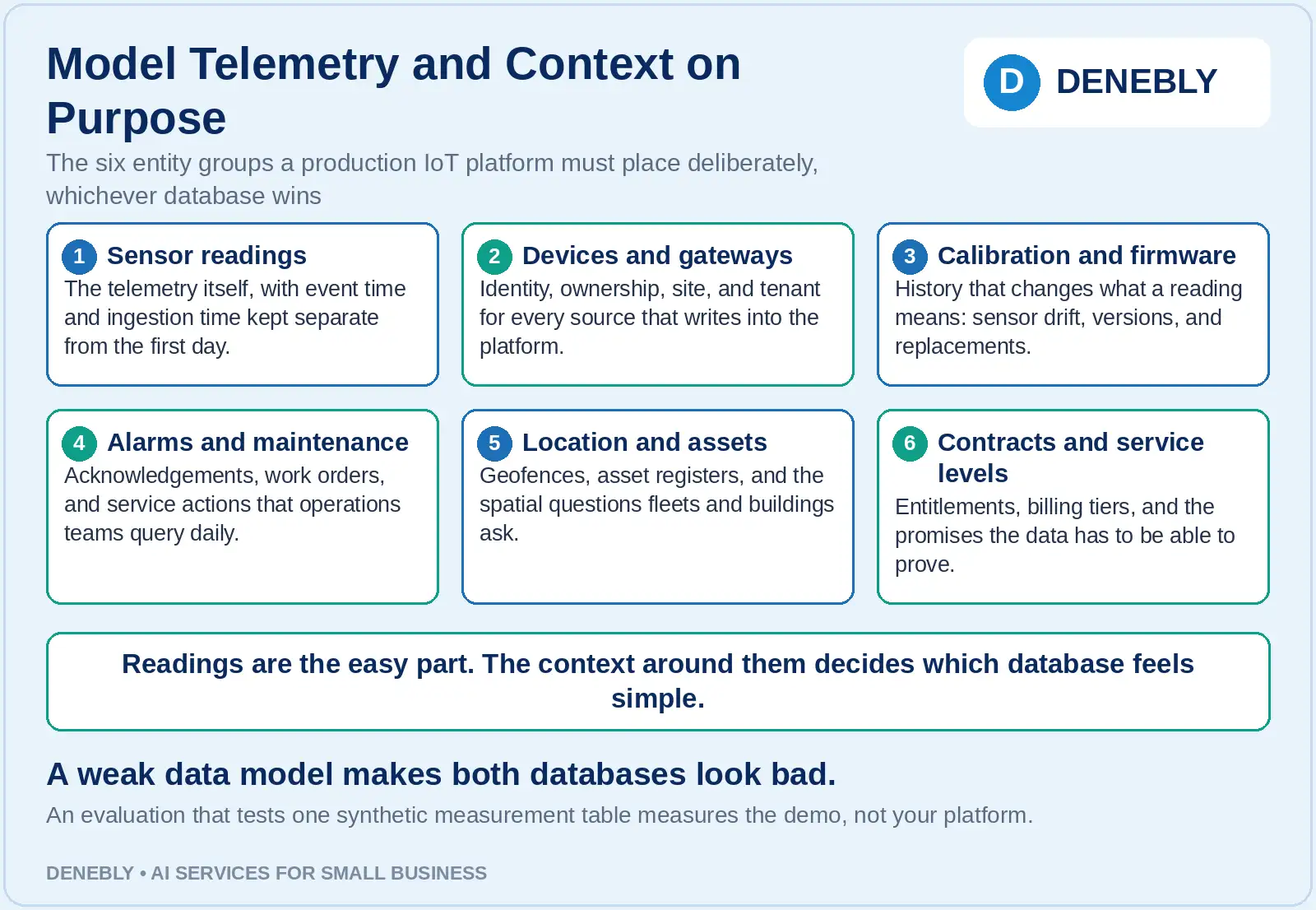
Figure 2: The entity set a realistic evaluation has to model. A benchmark built on readings alone measures the demo, not your platform, and it cannot reveal where context joins will hurt.
Is TimescaleDB Faster Than InfluxDB? Ingestion and Cardinality Honestly
Neither database is universally faster, and any page that gives you a single writes-per-second winner is selling something. Throughput changes with point width, batch size, timestamp precision, concurrent writers, cardinality, replication, durability settings, network distance, and how many queries run at the same time. Vendor numbers are useful for forming a hypothesis. They are not evidence for your architecture.
What can be said structurally: InfluxDB’s line protocol path is designed for collectors emitting measurement batches, and it is typically the simpler route to very high ingest rates from telemetry sources. InfluxDB 3 also drops the old warning that high series cardinality is inherently fatal; the new engine avoids the TSM series-index bottleneck. That is not the same as unlimited capacity. High-cardinality filters still cost memory, data organisation, and query time, and the vendor’s unlimited-cardinality phrasing should be read as positioning, not physics.
TimescaleDB ingests through the PostgreSQL front door, so its write performance is a tuning exercise your team may already know: batch inserts or COPY instead of row-at-a-time writes, a connection pool, a small number of indexes on the hypertable (every index is paid for on every row), and chunk intervals matched to your write volume. Tuned that way it comfortably handles the daily volumes most IoT products actually produce. A useful calibration: 1,000 sensors reporting every 10 seconds generate about 8.64 million points a day, which both databases treat as an ordinary Tuesday.
Querying, Downsampling, and Retention
Operational IoT queries fall into four groups: recent readings for one device or site; fleet-wide aggregates over a short window; long-range trends over history; and telemetry correlated with assets, customers, locations, or maintenance. InfluxDB serves the first three well in SQL or InfluxQL, with the caveat that DataFusion SQL is not a PostgreSQL compatibility promise, so validate the functions and joins you need rather than assuming them. TimescaleDB serves all four in one language, and the fourth group, the correlated questions, is where it pulls away.
Nobody should keep full-resolution readings forever because storage looks cheap. Work in tiers: raw readings for the window where investigation and model retraining genuinely need them; operational aggregates for dashboards; analytical aggregates for trends and billing; and whatever your regulatory duties require, kept deliberately. In TimescaleDB, continuous aggregates maintain the summary tiers automatically, but plan for late data: readings arriving after a refresh window need an explicit refresh or backfill policy, and raw retention must not expire before the aggregates that depend on it are final. In InfluxDB, retention is set per database and downsampling runs as scheduled tasks; the discipline is the same, the machinery is different.
Edge to Cloud: What Happens When the Network Fails?
The database decision does not end at the data centre door. A typical path runs device to gateway, through MQTT or an OPC UA integration, optionally a stream processor, then the database, then the application. Networks fail in the middle of that path, and what happens next is a database-relevant property, because the database receives the consequences: bursts of backfilled data, duplicates, late readings, and clock drift.
Gateways should buffer safely, preserve event time rather than arrival time, attach a stable device identity, and retry in a way the receiving side can deduplicate. InfluxDB 3 Core earns its place here: it is built to collect recent telemetry near the edge and answer local queries during an outage. Be clear-eyed about the boundary, though. Core does not synchronise itself to your central platform; a collector or pipeline you build owns forwarding, replay, and reconciliation. TimescaleDB at the edge is simply PostgreSQL at the edge, which some teams prefer for consistency with the centre, at the cost of running a heavier node on gateway hardware.
Reliability, Security, and Day-Two Operations
Features do not run platforms; operating models do. Before either database goes to production, define recovery point and recovery time objectives, verify a restore actually works, decide who owns schema changes and capacity alerts, and rehearse the upgrade path. Test the restore before deployment approval, not during the first incident.
IoT data also carries security duties that belong in the selection: device identity and credential rotation, transport encryption, tenant isolation, least-privilege database roles, audit trails, and deletion obligations when a customer leaves. Sensitive fields may need to be tokenised or separated from the telemetry stream entirely. Running the platform after launch is where these decisions are paid for, which is why our AI managed services engagements treat the database as an operated system with owners and runbooks, not an install that finished.
Managed services reduce infrastructure work on both sides. They do not remove data modelling, cost governance, or incident planning, and self-hosting trades that bill for control and responsibility. Operationally, influxdb vs timescaledb is also a staffing question: one asks you to learn a telemetry platform’s editions and limits, the other asks you to be good at running PostgreSQL, which your team may already be.
What Does Each Option Really Cost?
Free to download is not free to run. Total IoT database cost is platform fees plus infrastructure plus retained storage plus data transfer plus operations plus integrations plus recovery risk. InfluxDB can cut integration work for a telemetry-first system, then quietly add a second database for product data. TimescaleDB can consolidate everything into one system, then charge you in PostgreSQL tuning and long-term data management skill. Managed pricing on both sides moves with ingestion, storage, compute, and region.
Make the comparison concrete with one number: cost per retained device-day. Estimate it under three scenarios, today, twelve months of fleet growth, and a failure-and-backfill month, and include duplicate environments, backups, observability, support, and the engineering time to run it. A cheaper database that forces permanent synchronisation between two sources of truth often produces the more expensive system, and it produces it every month, not once.
Which Database Wins by IoT Use Case?
| Use case | Start with | Why |
|---|---|---|
| Machine monitoring | InfluxDB 3 | Telemetry-first ingestion and operational dashboards |
| Predictive maintenance | Depends | InfluxDB for the signal pipeline; TimescaleDB when maintenance records join in |
| Smart buildings | TimescaleDB | Assets, spaces, tenants, and work orders are the product |
| Energy metering | Depends | Retention, aggregation, billing, and audit needs decide |
| Connected vehicles | TimescaleDB | PostGIS plus relational fleet context is often decisive |
| Device observability | InfluxDB 3 | Metrics-oriented collection over recent data |
| Customer-facing IoT SaaS | TimescaleDB | Tenancy, entitlements, billing, and devices in one model |
| Industrial edge monitoring | InfluxDB 3 | Edge collection and telemetry-focused local queries |
Treat these as starting points with a burden of proof, not verdicts. A smart-building platform that is purely equipment telemetry can still favour InfluxDB; a factory platform joining signals to parts, operators, and quality records will feel TimescaleDB’s pull. Read the table as the influxdb vs timescaledb argument in miniature: the winner changes the moment the questions change.
A 12-Factor Scorecard for the Decision
Score both databases from 1 to 5 against the same requirements, and weight the factors before you test anything. Unweighted scorecards quietly give equal importance to things that do not affect your product. In our own assessments this scorecard is where influxdb vs timescaledb stops being a debate about features and becomes a statement about your product: the weights are your strategy, written down.
- Sustained and burst ingestion rate
- Device, series, and tag cardinality
- Recent versus historical query mix
- Relational and transactional requirements
- Geospatial analysis
- Edge deployment and offline operation
- Retention, compression, and downsampling
- Late-data and duplicate handling
- Security, tenancy, and compliance
- Existing PostgreSQL skills and tooling
- Availability, recovery, and operational effort
- Three-year total cost of ownership
How to Benchmark InfluxDB vs TimescaleDB Fairly
A defensible influxdb vs timescaledb decision comes from a production-shaped proof of concept, not from replaying a vendor’s chart. Academic work on time-series benchmarking (Mostafa and colleagues, in their six-dimensions benchmarking study) makes the same point: evaluate several workload dimensions at once, because a single throughput number hides the trade-offs that matter in production. Run the test like this:
- Replay representative readings with your real point width, tag set, and cardinality.
- Test steady writes, bursts, gateway recovery, duplicates, and late events, not just the happy path.
- Run ingestion and your production queries at the same time.
- Measure throughput and p50, p95, and p99 latency; averages hide the pain.
- Track CPU, memory, disk, object storage, network, and compaction behaviour.
- Exercise recent dashboards, fleet aggregates, historical trends, and context joins.
- Apply your real retention, compression, and downsampling policies during the test.
- Interrupt a node or a connection and measure recovery time and data loss.
- Price the whole thing at current, twelve-month, and three-year scale.
- Record failure thresholds, operational tasks, and unresolved risks, in writing.
Keep durability and availability settings equivalent, and document every difference in hardware, version, edition, and query semantics. A fast result achieved with acknowledgements or replication switched off is not a production comparison. This benchmark is the point where an outside eye pays for itself: our custom software development team runs these evaluations as a fixed-scope assessment, so the decision rests on your data rather than on either vendor’s favourite graph.
Migration and Lock-In: The Cost of Changing Your Mind
Moving between these databases is not an export job. Schemas, tags and fields, queries, aggregates, retention policies, alert logic, dashboards, client libraries, and operating procedures all have to be translated, and the two data models do not map one to one. Parquet gives InfluxDB 3 a reasonable interchange format, but continuous aggregates, PostgreSQL extensions, and triggers do not travel.
Migrate like an engineer, not like a gambler: backfill a bounded history, dual-write a representative stream, reconcile counts and aggregates between the two systems, move read traffic workload by workload, and define the authoritative store, the acceptable lag, the rollback window, and the decommission criteria before you start. Every influxdb vs timescaledb migration we have seen go wrong skipped the reconciliation step and discovered the gap in front of a customer. And yes, running both together permanently is possible; some platforms keep InfluxDB for hot telemetry and TimescaleDB for product data. Do it only when the workload separation is worth the synchronisation, backup, security, and ownership work of two systems, because that work never ends.
Common Mistakes When Choosing
- Comparing TimescaleDB with InfluxDB 2 while planning to deploy InfluxDB 3.
- Treating a vendor benchmark as universal evidence.
- Measuring ingestion with no production queries running.
- Ignoring device metadata, geospatial data, and transactional workflows until they hurt.
- Reporting average latency and never looking at p95 or p99.
- Forgetting outages, backfills, duplicates, and clock drift in the test plan.
- Comparing licence prices instead of total operating cost.
- Choosing the database before defining retention and recovery requirements.
Conclusion
InfluxDB vs TimescaleDB for IoT has no unconditional winner, and that is the useful answer. InfluxDB 3 is the stronger starting point for telemetry-first ingestion, edge collection, device monitoring, and dedicated time-series operations. TimescaleDB is the stronger starting point when telemetry must live beside relational, transactional, or geospatial product data, and when your team’s PostgreSQL skills are an asset you intend to use. Define the workload, weight the scorecard, and test both under realistic failure and concurrency before you commit.
If you want that evaluation run on your own data, contact Denebly and we will scope it with you: sales@denebly.com or +1 (214) 896-2906. Bring the workload as it is, bursts, duplicates, and all.
Frequently Asked Questions
InfluxDB vs TimescaleDB for IoT: which is better?
Neither wins unconditionally. InfluxDB 3 is the stronger candidate for telemetry-first ingestion, edge collection, and monitoring. TimescaleDB is the stronger candidate when sensor data must join frequently with relational or geospatial records. Validate the choice with representative ingestion, queries, retention, and failure tests before committing.
Is TimescaleDB faster than InfluxDB?
Neither is universally faster. Results depend on batching, schema, cardinality, index design, query windows, compression, durability settings, hardware, and concurrency. A benchmark that tests ingestion alone, or runs the two systems at different availability settings, cannot establish a fair winner.
Does InfluxDB 3 support SQL?
Yes. InfluxDB 3 queries in SQL and InfluxQL, and it does not run Flux. Older comparisons that describe InfluxDB only through Flux or the retired TSM engine are describing earlier generations, not the product you would deploy today.
Can TimescaleDB handle millions of IoT devices?
It can support large IoT workloads, but device count alone is not a capacity measure. Sampling rate, row width, cardinality, indexes, chunk design, retention, compression, queries, and availability targets determine the architecture required, and all of them belong in the benchmark.
Which database handles high-cardinality IoT data better?
InfluxDB 3 removes the old series-index bottleneck that made cardinality dangerous in earlier versions, but unlimited-cardinality marketing is not a guarantee of unlimited memory or query capacity. TimescaleDB also handles high-cardinality dimensions when partitioning and index design are done carefully. Test with your real tag set either way.
Which database is better for device metadata?
TimescaleDB usually has the advantage when device metadata is relational, frequently updated, constrained, or joined with telemetry in the same question. InfluxDB can hold contextual tags and fields, but complex, changing business relationships generally justify a relational store beside it.
Can InfluxDB and TimescaleDB be used together?
Yes, and some platforms do keep hot telemetry in InfluxDB and product data in TimescaleDB. The cost is permanent: synchronisation, two backup regimes, two security models, and clear ownership. Use both only when the separation earns more than that overhead costs.
How should an enterprise test InfluxDB vs TimescaleDB for IoT?
Replay production-shaped data and run ingestion, operational queries, long-range analytics, retention, compression, backfills, and failure recovery at the same time. Compare tail latency, resource use, data correctness, operational effort, and three-year cost. Throughput alone is the weakest signal in the room.
Sources
- Wikipedia, “Time series database”. A neutral overview of the category: what makes time-series workloads different, and how the major systems approach storage and querying.
- Mostafa et al., “Six Dimensions of Benchmarking Time-Series Databases” (arXiv preprint). An academic argument for multi-dimensional benchmark design. Note that its measurements cover the older TSM-based InfluxDB engine, so its method transfers to InfluxDB 3 but its numbers do not.
Edition, licensing, and feature facts about InfluxDB 3 and TimescaleDB were read in the vendors’ own documentation (InfluxData and TigerData) in November 2026 and are attributed in the text where they are used. Following this site’s external-link rule, vendors are cited as sources of their own product facts but are not linked; verify edition-specific limits against the current documentation before you sign anything.

WRITTEN BY
Arslan Mushtaq
Founder, Denebly
Arslan founded Denebly in 2018 and leads its AI development work for startups and mid-size businesses, across AI chatbots, agentic workflows, RAG systems, machine learning and automation. Denebly has delivered 100+ projects from Dallas, Texas.
Ready to Solve Your Business Problems With AI?
Tell us what you are trying to build, automate or fix. You will get an honest assessment within one business day, not a sales pitch.