Computer Vision Development Services
Denebly builds computer vision systems that read the physical world for your business: document and ID scanning, product and shelf checks, quality inspection, and people and vehicle counting for busy locations. Each system is trained on your images, tested on your cameras, and owned by you in full.
What Is Computer Vision Development?
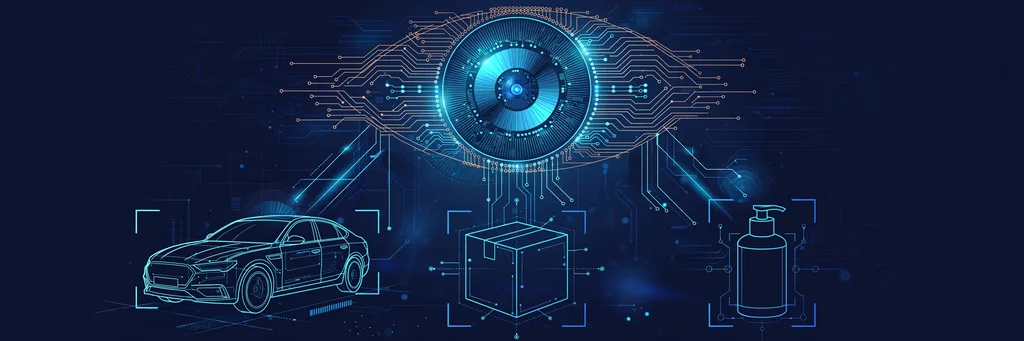
Computer vision development is building AI systems that interpret images and video: detecting objects, reading documents, spotting defects, and counting or tracking what a camera sees, so software can act on what a camera sees without a person reviewing every frame.
A computer vision system is built in six stages: capture, annotate, train, evaluate, deploy, monitor. Cameras capture images from your locations. Annotators label what matters. A model fine-tunes on the labeled set, then proves itself per class on held-out images. It deploys to the cloud, an edge device or an app; monitoring catches drift after launch.
The input is labeled images, and variety beats volume: a few hundred per class from your cameras and lighting teach more than thousands of stock photos. Rare defect types are trained from examples of what good looks like.
Vision models fail in the field on data gaps and conditions, not on model architecture. Denebly fixes the data layer first. The prediction layer behind the camera comes from our machine learning development practice.
Computer Vision Development Services Included
Our computer vision development services cover a vision system’s full life in eight sub-services, from feasibility to daily monitoring.
Computer Vision Consulting and Feasibility
We assess the use case, cameras and accuracy bar, then give a build-versus-buy verdict in writing.
Data Collection and Annotation Services
We collect images from your cameras and label them under written guidelines, with expert review.
Custom Computer Vision Model Development
We fine-tune proven architectures on your labeled images, tested per class on held-out images.
Model Optimization and Rescue
We fix models failing outside the demo: rare-case data, cleaner labels, edge compression.
MVP and Proof-of-Concept Builds
A small system on your real images proves accuracy before a full build is scoped.
Computer Vision Integration Services
We connect the system to your CRM, store, helpdesk or ERP so detections trigger the next step.
Edge and On-Device Deployment
We ship compressed models to cameras, phones and on-site hardware, with no cloud round trip.
Monitoring, Drift Checks and Retraining
We watch accuracy, add corrected images to training, and retest before any new model ships.
Types of Computer Vision Systems We Build
Our computer vision development services span ten task types; most engagements combine two or three.
Object Detection and Counting
Finds and counts items in images or video: people, vehicles, stock.
Image Classification
Sorts each image into classes you define: photo sorting, claim triage, product tagging.
Semantic and Instance Segmentation
Outlines the exact pixels of each object: measurement, damage mapping, medical images.
Visual Inspection and Anomaly Detection
Flags defects against what good looks like, even defects too rare to photograph.
OCR and Document Intelligence
Reads documents, IDs, labels and meters into records our natural language processing service can sort and search.
Real-Time Video Analytics and Tracking
Follows objects across frames and cameras: shelf monitoring, safety events, movement patterns.
Facial Recognition and Biometrics
Verifies identity from a face, under the privacy practice below: access control, check-in.
Visual Search and Product Matching
Finds the same or similar products from a photo: parts search, catalog matching.
Pose Estimation
Tracks body position from video: form checks, ergonomics, activity counting.
3D Vision and Depth
Measures size and distance from stereo cameras or depth sensors.
Vision API vs Machine Vision vs Custom Computer Vision
Three approaches read images; sound computer vision development services match the approach to your objects, conditions and privacy rules.
| Criterion | Vision API | Machine Vision | Custom Computer Vision |
|---|---|---|---|
| How it works | Ready-made models in a vendor cloud | Fixed rules and measurements check known patterns | A model trained on your labeled images |
| Accuracy on your objects | Strong on common objects; cannot learn defects | Exact on stable checks; blind to variation | Tested per class on your cameras and lighting |
| Data privacy | Images leave your site to a vendor | Runs on site; images stay local | On site, edge or your cloud |
| Cost profile | Low setup; per-image fees grow with volume | Hardware up front; low running cost | Build cost up front; cheap per image at volume |
| Who controls the classes | The vendor sets the classes | Your team sets the rules | You own the classes, weights and dataset |
| Best for | A fast proof of concept | Gauging and counting on a line | Your specific products, defects and documents |
Start with an API when it meets your accuracy target. Build custom when your objects, defects, lighting or privacy rules are specific.
Business Benefits of a Computer Vision System
The payback of computer vision development services is checks your team no longer does by eye.
Every Item Inspected, Not a Sample
Each product, document or frame gets checked; defects stop slipping through spot checks.
Checks at Line Speed, Around the Clock
Inspection runs at production speed, at any hour, backlog-free.
Fewer Misses and Fewer False Alarms
Per-class tuning means your team trusts alerts instead of ignoring them.
Manual Review Hours Removed
Your team keeps only the exceptions the system cannot clear.
Faster Alerts on Visual Events
A shelf gap, defect or safety event raises an alert in seconds.
Live Visual Data Behind Decisions
Counts and defect rates become planning numbers for staffing and stock.
A Model and Dataset You Own
Model weights, labeled data and pipelines transfer to you in full at handover.
Computer Vision Use Cases by Industry
Our computer vision development services start with one concrete job per industry; each engagement begins as a single use case.
Manufacturing and Logistics
Defect detection on the line; damage detection from photos before shipping.
Retail and E-commerce
Shelf gaps and misplaced products raise a restock task the same hour.
Home Services
Meter and serial reading from field photos; people counting for busy locations.
Healthcare
Imaging support that routes urgent cases to the top of the queue.
Dental Clinics
ID scanning at intake, with scans filed to the right patient record.
Real Estate
Damage detection and room measurement support from inspection photos.
Law Firms
Document and ID scanning for intake, with pages filed to the right matter.
SaaS and Startups
Visual search, tagging and photo checks built into your product.
Our Computer Vision Development Process
Our computer vision development services follow six steps that take a vision system from sample frames to production.
Use Case and Accuracy Targets
We agree the classes, the accuracy bar, where the model runs, and the cost of a miss.
Image Data Collection and Annotation
Images come from your real cameras, labeled under written guidelines; test images from different cameras or sites.
Model Selection and Training
We fine-tune a proven architecture and score it against a vision API on the same test set.
Field-Conditions Testing and Error Analysis
We test under your lighting, angles and clutter, and fix the data behind each error class.
Optimization and Deployment
The model compresses for the target hardware; low-confidence results route to a person.
Monitoring and Retraining
Drift checks run after launch; replacements ship only after passing the same test set.
Labeling runs on a simple loop: guidelines first, the model pre-labels, annotators correct, your experts label domain cases. Our data engineering and MLOps team keeps the datasets current.
Have a Project in Mind?
Tell us the problem. We will tell you honestly if AI can fix it, what it takes and what it costs.
Technology and Models We Build With
In our computer vision development services, the stack follows your cameras, data and latency budget.
The YOLO family from Ultralytics, Detectron2, Mask R-CNN and Segment Anything (SAM) cover detection, counting and outlines.
CLIP, DINOv2, Vision Transformers, ResNet, EfficientNet, plus GPT from OpenAI, Gemini, Claude and Qwen vision models.
PyTorch, TensorFlow, Keras and OpenCV carry training and image processing in most builds.
Label Studio, CVAT and Roboflow run labeling with guidelines, pre-labels and review queues.
Tesseract, PaddleOCR, AWS Textract, Amazon Rekognition, Google Cloud Vision and Azure AI Vision.
ONNX Runtime, TensorRT, OpenVINO, TensorFlow Lite, Core ML and NVIDIA Jetson.
Triton, MLflow and Kubernetes serve models and track versions, scores and retraining.
Integrations With Your Existing Systems
In our computer vision development services, a detection triggers work, not just a report.
Existing Cameras
Your IP cameras connect over RTSP and ONVIF; sample frames are checked first.
CRM, Store and ERP Records
Detections write to the right record: customer file, order or stock count.
Dashboards and Alert Channels
Counts and alerts land where your team looks, image attached.
Mobile Apps and SDKs
On-device models ship inside your app for checks that must work offline.
Internal APIs and Databases
Results post through your APIs; labeled datasets stay ready for the next version.
Workflow Event Streams
A detection fires the next step: a restock task, a batch hold, a routed ticket. Our AI integration services team wires the handoffs.
Vision in a wider system pairs with our AI automation services, which act on camera reports.
Security, Privacy and Accuracy Control
Our computer vision development services build trust through proven accuracy, honest failure handling, and privacy people can see.
Per-Class Accuracy Reporting
Precision and recall per class, misses and false alarms separately, on held-out images from different cameras.
Field-Conditions Testing
The model faces lighting changes, off-angle shots, clutter, real devices, rare cases and change over time.
Why Models Fail Outside the Demo
Most field failures trace to too few rare-defect examples, inconsistent labeling, or training conditions unlike production. Each has a data fix.
Privacy for People in Images
Faces are blurred where identity is not needed, footage is processed on site where possible, and retention limits are set before launch.
Access Control and Your Data
Access is role-based and logged; your data never trains models for anyone else.
Deployment Inside Your Environment
The system runs in your cloud, on your premises or on your devices, aligned with GDPR, HIPAA and SOC 2.
How Computer Vision Cost Is Scoped
In computer vision development services, price follows scope. Seven factors set it.
We scope and price the build in writing before work starts. Running cost scales with images processed and where the model runs.
Computer Vision Development Timeline, Phase by Phase
Most focused projects go live in 2 to 6 weeks, each phase’s duration agreed in writing before work starts. Collecting and labeling images usually sets the pace of computer vision development services.
Phase 1: Use Case and Data Audit
Classes, cameras and the accuracy bar agreed; sample frames checked.
Phase 2: Annotation and Training
Images labeled under written guidelines; the model scores on held-out images.
Phase 3: Field Testing and Deployment
The model proves itself under your lighting and angles, then goes live.
Phase 4: Monitoring and Retraining
Drift checks run on a set cadence; retraining ships only after retesting.
Why Businesses Choose Denebly for Computer Vision
Denebly is a Dallas, Texas team for computer vision development services, with 100+ projects delivered over 8 years, including 10+ development projects and 15+ services across AI, software and automation.
You own everything at handover: the code, the model setup and the data, in full. That includes model weights, the labeled dataset and the training pipelines, documented at launch.
You get a feasibility verdict before any build: if a vision API already meets your target, the plan says so. Vision work often pairs with our machine learning development and AI automation services
Computer Vision Development Services: Frequently Asked Questions
What is computer vision development?
Computer vision development is building AI systems that interpret images and video so software can act on what a camera sees. Denebly’s computer vision development services cover the full life of the system: annotation, training, deployment and monitoring.
What do computer vision development services include?
Our computer vision development services cover eight parts: feasibility, annotation, custom models, model rescue, proof-of-concept builds, integration, edge deployment, and monitoring with retraining.
How much does computer vision development cost?
Cost follows scope, and we agree a fixed price in writing before we build. The factors are classes or defect types, image volume and labeling state, cameras and sites, real-time and edge needs, the accuracy bar, integrations, and support after launch. No hourly billing.
How long does it take to build a computer vision system?
Most focused projects go live in 2 to 6 weeks. You get a written timeline before work starts. Collecting and labeling images usually sets the pace.
How many images do we need to train a computer vision model?
Most projects start with a few hundred labeled images per class for a proof of concept. MindInventory puts a proof of concept at a few hundred per class; Dedicatted puts simple detection at roughly 500 to 2,000 per class.
What accuracy can we expect, and how is it measured?
Accuracy is agreed per class before training and proven on held-out images the model never trained on. Precision and recall are reported per class, misses and false alarms separately.
Should we use a vision API or a custom model?
Use a vision API when it meets your accuracy target on your images; build custom when your objects, defects, lighting or privacy rules are specific.
Can computer vision use our existing cameras?
Yes, in most cases. Most IP cameras send frames over RTSP and ONVIF, checked from sample frames before any hardware is bought.
How do you handle privacy when images show people?
Faces blur where identity is not needed; footage processes on site where possible; retention limits are set before launch. Access is role-based and logged; your data never trains models for anyone else.
Do we own the model, the labeled dataset and the code?
Yes, in full. The code, model setup and data are yours, handed over documented at launch.
Tell Us What You Want to Build
Share a few details about your project and we will come back with honest next steps, a likely scope, and a fixed price range.
- ✓Reply within one business day
- ✓Scoped and priced in writing before we build
- ✓You own everything we build, in full
Prefer to talk first? Call or WhatsApp +1 (214) 896-2906 or email hello@denebly.com
Ready to Solve Your Business Problems With AI?
Tell us the problem on a free consultation call. We will tell you honestly if AI can fix it, what it takes and what it costs.
Get a Free Consultation